Beauty Camera -Selfie, Sticker
Leopard V7Photography
4.8837.00 Reviews
- Version
- 5.6.5
- Installs
- 50.00M
- Age Rating
- Everyone
Screenshots
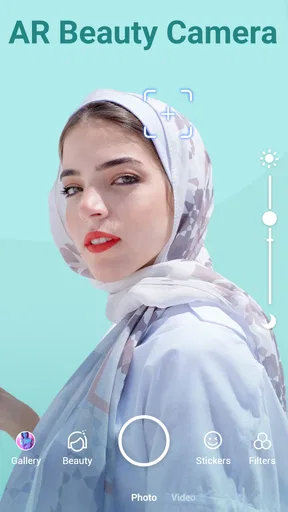
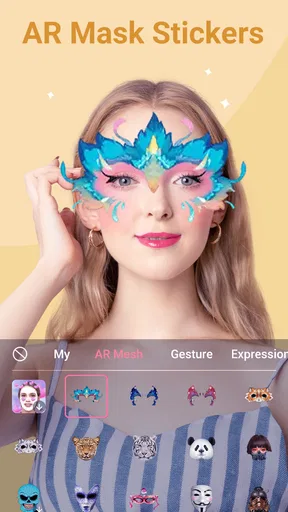
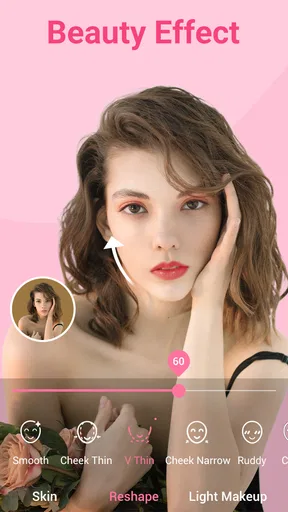
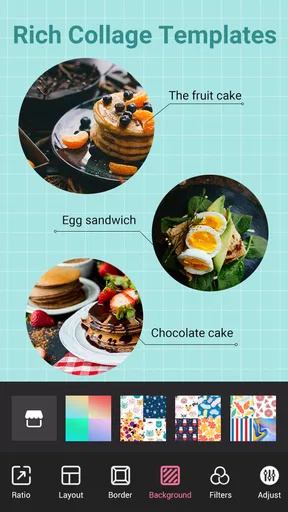
Our Review of Beauty Camera -Selfie, Sticker
 Analysis by Appyee
I installed Beauty Camera -Selfie, Sticker expecting the usual quick selfie editor: open the camera, choose a flattering look, add something playful, and save the result. That first impression is accurate, but incomplete. This free photography app from Leopard V7 is more useful when treated as a repeatable editing shortcut rather than a one-time collection of flashy effects. It is aimed at people who want a polished selfie without learning a full photo editor, and its combination of beauty filters, AR stickers, and basic photo editing makes that purpose clear from the first session.
The appeal is immediate because there is very little creative planning required. I can start with a live selfie, try a different filter, add an AR element, and move on to the editor when I want to adjust an existing image. That makes it comfortable for casual portraits, profile pictures, quick messages, or a photo taken before going out. The important question, though, is whether it remains useful after the novelty of trying every sticker has worn off. In my experience, the answer depends on how much control you want and how often you take this kind of picture.
What the first week feels like
During the first few uses, the strongest part is the low effort. A traditional editor often asks me to understand layers, curves, masks, or a long list of separate adjustments. This app takes a friendlier route. Its beauty-camera focus puts the most relevant changes close to the moment of capture, while the sticker tools provide an obvious way to make a selfie more expressive. I do not need to prepare a detailed editing workflow before taking a picture.
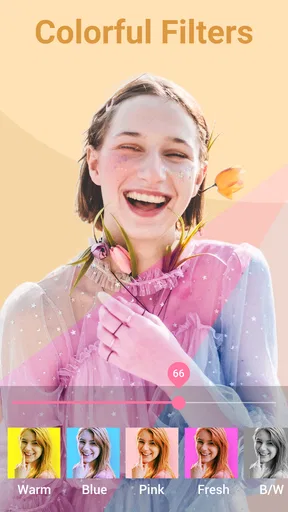
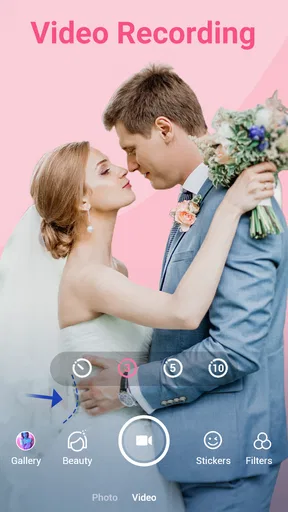
The live-camera approach is especially handy when the goal is to decide whether a photo works before saving it. I can compare a natural-looking treatment with a more noticeable filter while the subject is still in front of the lens. That is more practical than taking several ordinary shots and editing each one afterward. It also helps in a realistic situation such as getting ready for a social profile update: I can check framing, face position, and the overall mood at the same time instead of trying to rescue a weak image later.
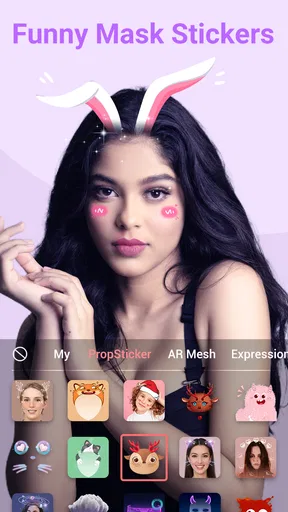
The AR stickers are the part most likely to create the initial sense of discovery. They are useful when a plain portrait feels too formal, particularly for a casual message or a temporary social post. I would not use them on every image, but they give the camera a playful direction that a conventional beauty editor may not emphasize. The better results come from matching the sticker to the composition rather than placing one wherever there is empty space.
One practical tip is to begin with the least dramatic beauty treatment and increase it only when the lighting calls for help. Strong effects can look appealing on the preview but become distracting once the image is viewed at full size. Starting lightly also gives the editor more room to preserve facial details and natural expression. I found that this simple habit makes the app feel less like a novelty filter box and more like a quick portrait tool.
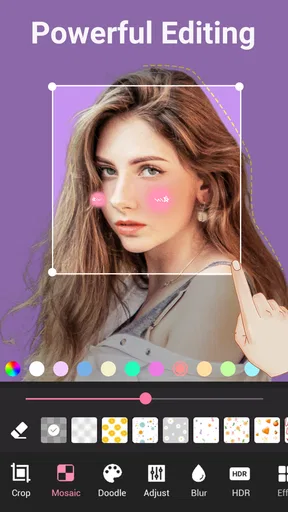
The existing-photo workflow matters just as much as the live camera. Sometimes I already have a picture that is well framed but needs a small improvement, and opening a full professional editor for that job feels excessive. The built-in photo editor is better suited to those short sessions. I can approach it as a finishing step instead of rebuilding the image from scratch, which is one reason the app can remain useful after the first week.
Another early advantage is accessibility. The app is free, carries an Everyone content rating, and supports devices running Android 6.0 or later. That broad compatibility makes it a reasonable choice for people using older phones who want a dedicated selfie camera without immediately moving to a more demanding editing suite. The current release is version 5.6.5, so users should still keep their expectations realistic: this is a focused mobile camera experience, not a replacement for every kind of photography software.
Where the first excitement can mislead
The first week can make the app seem more versatile than it really is because filters and stickers offer many visible changes quickly. That variety is fun, but visual variety is not the same as deep editing control. If I want careful color correction, precise retouching, detailed background work, or a consistent look across a larger photo project, I would rather use a more advanced editor. Beauty Camera is strongest when speed matters more than precision.
It is also worth remembering that a preview can encourage over-editing. A face may look smooth and bright in the moment, yet the result can lose the small details that make a portrait feel like the person who took it. My preferred workflow is to compare the edited version with the original before saving, then reduce the effect if the first version looks too polished. That extra check takes only a moment and prevents the most common disappointment with beauty-focused apps.
Why it may still matter after a month
After the stickers stop feeling new, the app has to earn its place through convenience. Its recurring value comes from reducing the number of steps between an idea and a usable selfie. I can keep it for occasions when I want a camera designed around faces rather than a general camera with editing added later. That distinction is small, but it matters when I am taking a picture quickly and do not want to search through a large toolbox.
A realistic monthly use case is maintaining a profile photo or sending a better-looking portrait to family and friends. I might take several versions in different light, choose the most natural expression, apply a restrained beauty adjustment, and use a sticker only if the context calls for it. The app is convenient here because the creative decision is made close to capture. I am not spending time learning a complicated system for a picture that may take only a few minutes to prepare.
It can also work for people who regularly document outfits, hairstyles, makeup, or small changes in appearance. In that situation, the camera’s beauty focus can help create a consistent starting point, but consistency requires discipline. I would use the same general level of enhancement and similar lighting rather than choosing a different dramatic filter every time. Otherwise, the app makes comparison harder because the editing style changes more than the subject.
The strongest long-term habit is to separate capture from decoration. First I take a clean portrait with a modest treatment. Then I decide whether a sticker or stronger visual style actually adds something. This two-step approach avoids letting the most noticeable effect control the whole image. It also makes the app more useful for ordinary photos, because not every picture needs to look like a themed post.
For occasional users, the free price is an important part of the value. I can keep a dedicated selfie tool available without committing to a paid photography workflow. That makes sense for someone who takes portraits now and then, wants a quick beauty camera, and does not need professional finishing tools. The app’s average rating of 4.8, based on around 148 thousand ratings, also suggests that its straightforward purpose connects with a large number of users, although a high rating should not be mistaken for universal suitability.
The scale of its audience is notable as well: it has passed 50 million installs. I read that as evidence that the basic idea is easy to understand and useful to many casual photographers, not as proof that every user will enjoy the same style of editing. People who prefer natural images may find the app more valuable when they ignore the more exaggerated options. People who want elaborate creative control may reach its limits quickly.
Who gets the most value
I would recommend it first to someone who wants a simple selfie camera with beauty effects already built into the experience. It suits quick portraits, informal social sharing, and users who dislike the complexity of full photo-editing applications. It is also a sensible option for a person with an older compatible Android phone who wants a focused camera app rather than a large photography suite.
It is less convincing for a photographer whose main interest is landscapes, food, architecture, or manual camera control. The app’s identity is centered on faces, appearance, filters, and stickers. Those tools do not become a complete photography system just because they are combined with an editor. If your normal workflow involves precise exposure decisions, advanced retouching, or carefully matching colors between many images, a general-purpose editor is the better home.
I would also hesitate to make it the only camera on a phone used for important memories. For everyday selfies, convenience is enough. For a once-in-a-lifetime event, I prefer a camera app that gives me broader control and keeps the original image workflow central. Beauty Camera works best as a specialized companion, not as a universal answer to photography.
The maintenance cost of keeping it useful
The maintenance burden is not technical so much as creative. A filter-based app can become repetitive if every portrait receives the same treatment. To keep it useful, I would periodically return to the original image, vary the intensity of the effects, and reserve stickers for photographs where they support the mood. This prevents the app from turning every selfie into the same template.
There is also a small organizational burden. If I take many versions of one portrait, it is easy to save near-duplicates and later forget which one was the most natural. My practical solution is to decide on the framing first, keep only a few candidates, and edit the strongest one. That makes the app faster and keeps the phone’s photo library from filling with experiments that were never intended to be shared.
Another useful maintenance habit is to check the result in more than one viewing situation. A filter that looks balanced in the camera preview may appear stronger on a larger screen or under different brightness settings. I like to inspect the final image at normal size before deciding it is finished. This is particularly important with smoothing and brightening effects, where small changes can alter the overall character of a face.
The app’s simple design is a benefit here because the workflow does not demand a long preparation routine. I can open it for a specific job, make a restrained adjustment, and leave. However, users who want a permanent, carefully managed visual style may find the simplicity limiting. The app encourages fast decisions; it does not replace a personal editing system built around detailed control and repeatable technical settings.
Where fatigue begins
The biggest source of fatigue is the same thing that creates the first-week appeal: the effects are immediately visible. Once I have tried the stickers and stronger filters, there may be less reason to open the app unless I regularly take selfies. A user who rarely photographs themselves could enjoy it for a short period and then return to the ordinary phone camera.
Another possible frustration is the gap between playful editing and believable portraits. The more I push the beauty effect, the more likely the image is to feel processed. That may be exactly what someone wants, but it can be a poor fit for professional profile photos, family records, or situations where authenticity matters. The app gives me the option to stylize, but good results still depend on knowing when to stop.
Sticker-heavy editing can also age quickly. A playful overlay may suit one conversation and feel out of place a week later. I see the stickers as occasional accents rather than the reason to build a long-term photography habit. The lasting value is in the quick beauty-camera workflow and the ability to polish a portrait without opening a complex editor.
Compared with a standard phone camera, this app is faster for face-focused styling but less neutral. The standard camera usually gives me a cleaner original and leaves creative decisions for later. Compared with a general photo editor, Beauty Camera is quicker for selfies but offers less depth for careful correction. Compared with a social-media camera, it can feel more focused on preparing the image itself rather than attaching the picture to a wider posting experience. Those trade-offs make the choice fairly clear: use this when the portrait is the task, not when photography is only one part of a larger workflow.
Privacy-conscious users should make their own comfort decision before settling into any camera habit. I would review the app’s requested access and device settings during installation, then avoid granting anything unrelated to the way I plan to use it. That is sensible for any camera or photo editor, especially one handling personal portraits. The app’s Everyone rating describes its content suitability, not a substitute for thinking about how I manage my photographs.
My long-term verdict
After the novelty fades, Beauty Camera -Selfie, Sticker earns a place on my phone only if I regularly want quick, appearance-focused portraits. Its best quality is not the number of effects I can try in one sitting. It is the short path from opening the camera to producing a shareable selfie, with beauty filters, AR stickers, and editing tools available in the same focused environment.
I would keep it for casual portrait work, profile-photo updates, and moments when I want a little polish without opening a professional editor. I would not keep it as my main photography app, and I would not recommend it to anyone who values manual control or natural, untouched results above convenience. For those users, the ordinary camera or a deeper editing application will remain more satisfying.
My final advice is to use it lightly. Start with a modest beauty effect, compare the result with the original, and treat stickers as optional rather than automatic. That approach preserves the person in the photograph while still taking advantage of the app’s speed. If that balance matches your habits, the free app from Leopard V7 can provide recurring value well beyond its first playful session. If you mainly want to experiment once or twice, its initial appeal may be stronger than its lasting usefulness.
Verdict
Strengths of Beauty Camera -Selfie, Sticker
- Wide range of beauty filters for quick selfie enhancement.
- Fun stickers and effects make photos more expressive.
- Simple interface suitable for casual users.
- Real-time previews help adjust effects before taking photos.
- Easy sharing options for social media and messaging apps.
Limitations of Beauty Camera -Selfie, Sticker
- Some advanced effects may require in-app purchases.
- Heavy filters can make portraits look noticeably unnatural.
- Ads may interrupt editing or photo-taking sessions.
- Performance can vary on older or low-end devices.
- Privacy permissions should be reviewed before importing personal photos.
Similar Picks in This Category
View All
Google Photos
Google LLC4.4

Gallery
Google LLC4.2

Picsart AI Photo Editor, Video
PicsArt, Inc.3.9

B612 AI Photo&Video Editor
SNOW Corporation4.1

BeautyPlus-Selfie Photo Editor
PIXOCIAL TECHNOLOGY (SINGAPORE) PTE. LTD.4.5

Remini - AI Photo Enhancer
Bending Spoons4.1
Frequently Asked Questions
What is Beauty Camera -Selfie, Sticker used for?
Beauty Camera -Selfie, Sticker is a photo-editing and selfie camera app designed to enhance portraits quickly. It typically includes beauty filters, skin-smoothing tools, face-adjustment effects, makeup-style overlays, stickers, frames, and other decorative options. You can take a new selfie inside the app or select an existing image from your gallery, apply effects, and save or share the finished photo.
Does Beauty Camera -Selfie, Sticker work without an internet connection?
Many basic camera and editing functions may work offline after the app has been installed, including taking photos, applying certain filters, and using effects already available on the device. However, some stickers, online content, advertisements, cloud-related features, or updated effect collections may require an internet connection. Availability can vary by version, so offline use should not be assumed for every feature.
Is Beauty Camera -Selfie, Sticker free to download and use?
The app may be available as a free download, but free access can include advertisements, optional purchases, locked effects, or premium editing tools. Before installing, check the Google Play Store or App Store listing for the current pricing and in-app purchase information. It is also worth reviewing the subscription terms carefully, especially if premium features are offered through recurring payments.
What permissions does Beauty Camera -Selfie, Sticker require?
A selfie camera and photo-editing application normally requests access to the camera so it can capture pictures, and access to photos or storage so you can import and save images. It may also request permission for notifications or internet-related functions. Review each permission prompt before accepting it, and use your device settings to revoke access later if a permission is unnecessary or you no longer want to provide it.
Are photos edited with Beauty Camera -Selfie, Sticker private and safe?
Privacy depends on how the app processes and stores your photos, as well as the permissions you grant. Check the app’s privacy policy and store listing to learn whether images are processed only on your device or uploaded for particular features. Avoid granting unnecessary access, do not share sensitive pictures through public channels, and remember that saved or exported photos can remain in your gallery after editing.
